
Use this page when
You already have stops assigned to days and need to spot backtracking, isolated outliers, and an awkward visit order.
Itinerary map planning
Already have a Mappu itinerary? Use its map to audit each day for backtracking, distant outliers, and unrealistic stop order, then edit the schedule in place.
Reviewed by MappuReviewed
See the map workflow
Quick answer
Use this page after your itinerary already has days and stops. A map audit reveals zigzags, isolated stops, and places assigned to the wrong day. Mappu keeps each stop attached to its editable itinerary, so you can move the outlier and preserve the rest of the schedule. It is not live traffic or turn-by-turn navigation, and it is not the page for building a schedule from scratch.
Itinerary map planning
Open the mapped itinerary and focus on a single day. Look for repeated crossings, a stop far from the main cluster, or an order that ignores the natural route. These are schedule problems that a list rarely makes obvious.
Real product proof
Open a public itinerary or audio guide to inspect the actual route structure and guide experience before using the planner.

You already have stops assigned to days and need to spot backtracking, isolated outliers, and an awkward visit order.
You are starting from an unorganized wish list or need a navigation app to choose the fastest live route.
A repeatable map audit you can apply to each day, plus a mapped itinerary you can inspect and customize.
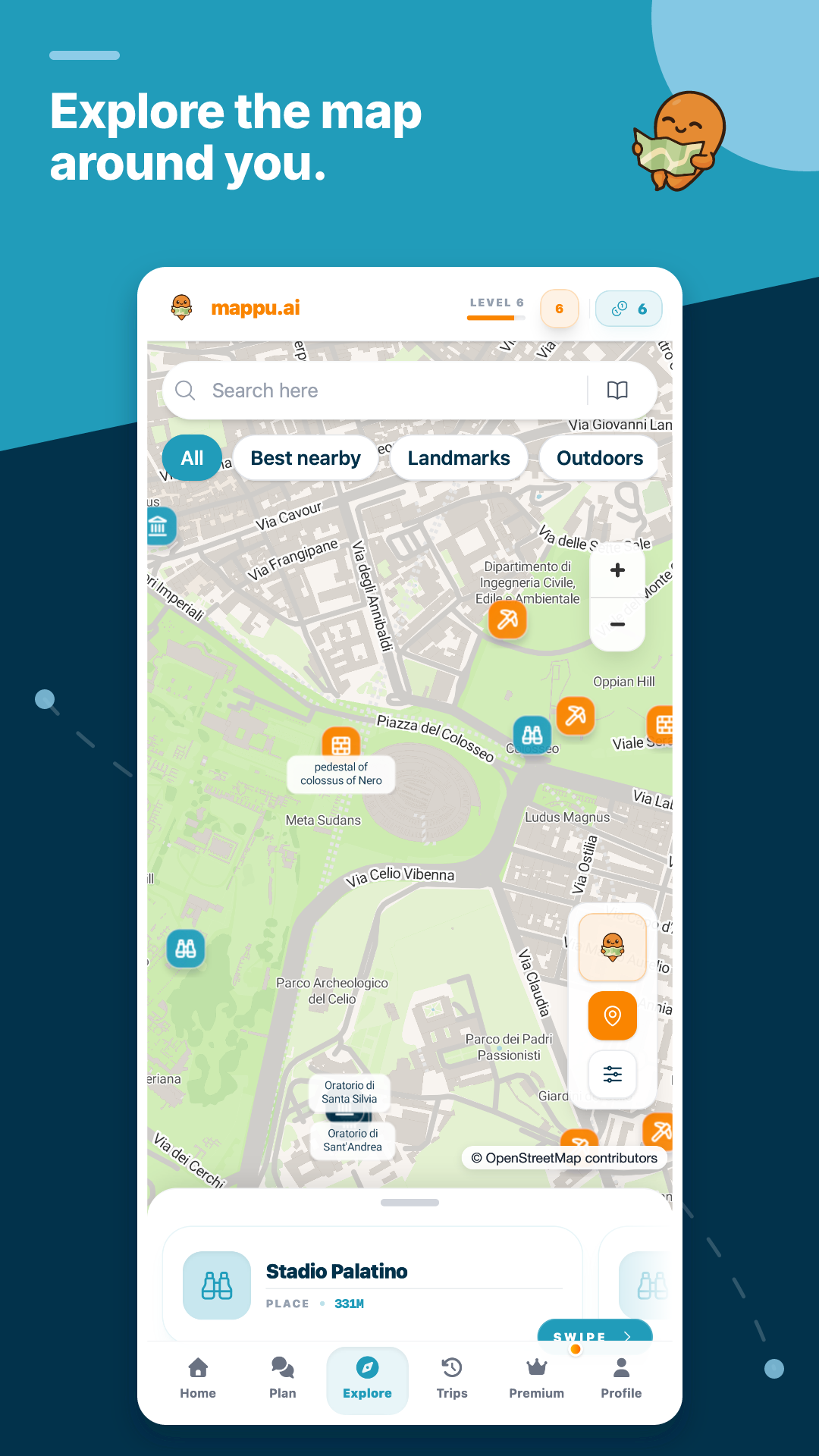
Actual map view
The Explore view keeps nearby places, landmarks, and route context visible, so you can inspect geographic order before deciding what belongs in the day.
Map view supports route inspection and discovery. It does not claim live traffic or turn-by-turn navigation.
More than this page
Browse public guides and itineraries, then plan your own trip and explore supported places with live audio.
Already have a Mappu itinerary? Use its map to audit each day for backtracking, distant outliers, and unrealistic stop order, then edit the schedule in place.
Import and map my itinerary
Move the outlier to a nearby day, swap two stops, or make one activity optional. Recheck fixed tickets and meal reservations after every change. The goal is not the shortest possible line; it is a day that fits your pace and commitments.
Mappu keeps itinerary and map context together when the trip starts and can surface guide content for supported places. Use a dedicated navigation app for exact directions and check current transport information before leaving.
Yes. Identify the distant or weak stop, then move it, make it optional, or remove it while keeping the rest of the itinerary intact.
No. Timed tickets, opening hours, meals, energy, and what you value can matter more than minimum distance. Use the map as evidence, not as the only rule.
No. Mappu provides trip structure and place context. Use a dedicated navigation provider for live directions, traffic, and transport changes.