
Use this page when
You have places or areas in mind and want geography to guide how they could be grouped before fixing the final schedule.
Map-based planning
Use the map early to expose distant stops, repeated crossings, and overfilled days. Mappu connects those geographic decisions to an editable itinerary.
Reviewed by MappuReviewed
See the map workflow
Quick answer
A travel map planner shows whether your proposed stops form sensible daily clusters. In Mappu, a destination brief becomes an editable itinerary whose places can be reviewed on the map. Move a stop to another day, cut an outlier, or change the order when the route backtracks. The map supports trip planning and guide context; it is not a turn-by-turn navigation or live traffic service.
Map-based planning
A list hides distance. Once the stops are on a map, you can see that two museums sit together while a “quick” viewpoint is across the city. Use that shape to build days around neighborhoods rather than around a wish list.
Real product proof
Open a public itinerary or audio guide to inspect the actual route structure and guide experience before using the planner.

You have places or areas in mind and want geography to guide how they could be grouped before fixing the final schedule.
You already have a detailed itinerary and only need to repair stop order, or you need live traffic and turn-by-turn directions.
A map-first view of the trip, a real multi-stop example, and a clearer basis for building the day sequence.
Actual map view
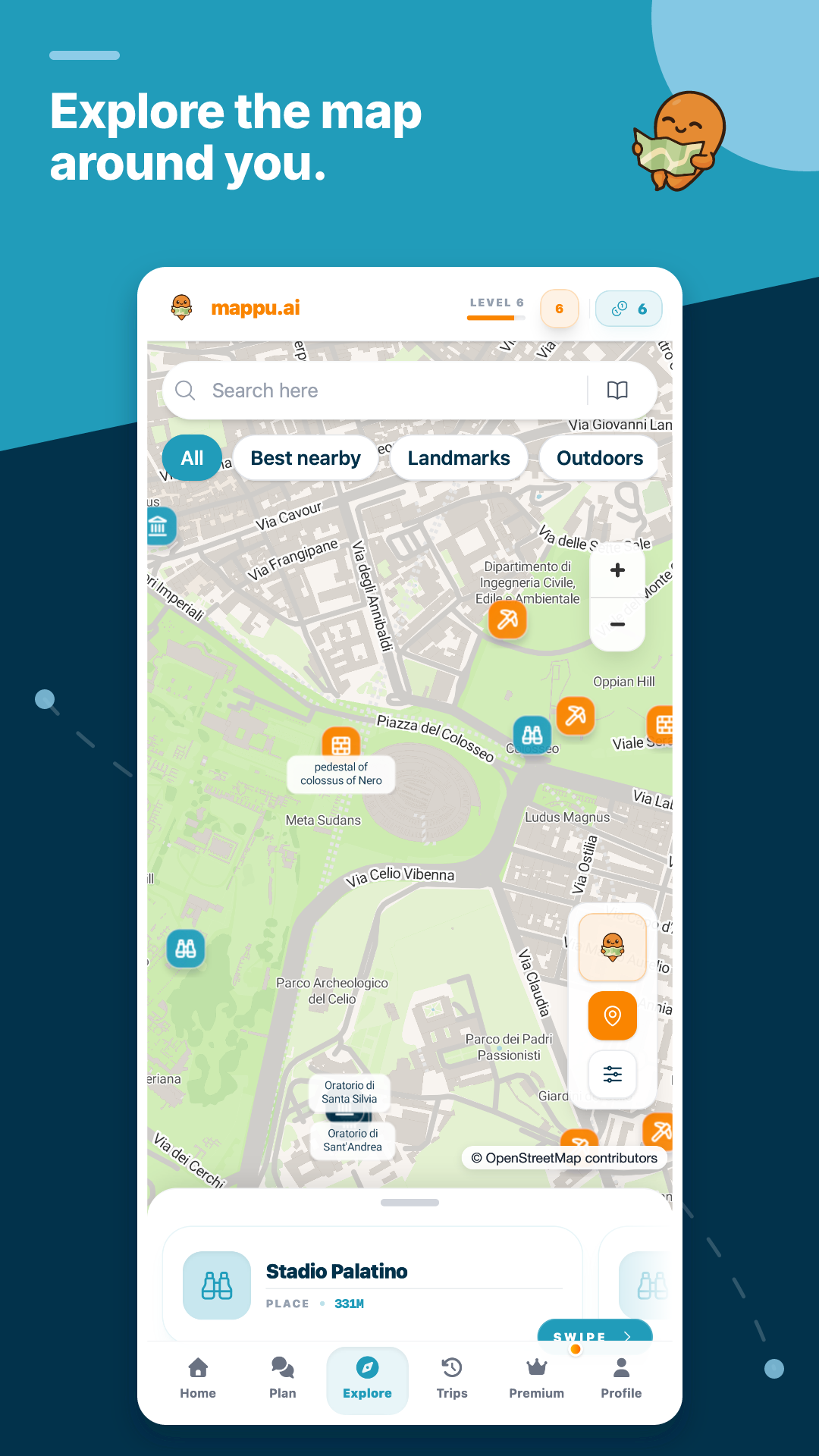
The Explore view keeps nearby places, landmarks, and route context visible, so you can inspect geographic order before deciding what belongs in the day.
Map view supports route inspection and discovery. It does not claim live traffic or turn-by-turn navigation.
More than this page
Browse public guides and itineraries, then plan your own trip and explore supported places with live audio.
Use the map early to expose distant stops, repeated crossings, and overfilled days. Mappu connects those geographic decisions to an editable itinerary.
Browse real itineraries
Inspect one day at a time. If the route crosses the same area twice or contains a lone distant stop, move that stop to a better day, make it optional, or remove it. Then leave buffer for queues, meals, and the transfer between clusters.
The same Mappu itinerary remains available on mobile and can connect supported places to live guide context. For precise walking, driving, or public-transport directions, open a dedicated navigation service and check current conditions.
Yes. A distant outlier or repeated crossing is easier to see geographically. Move it, make it optional, or cut it when it weakens the day.
No. Mappu organizes stops, days, and guide context. Use a dedicated navigation service for current routes, traffic, and turn-by-turn directions.
Yes. The itinerary remains editable, so you can change the day or order of stops after spotting a pacing or geography problem.