

Main job
- Mappu
- Travel itinerary, route map and live audio
- Google My Maps
- General custom maps with up to 10 layers
Google My Maps is a capable custom-map tool, and better than Mappu for layers, styled pins and KML export. Mappu does a different job: it turns your trip into days, a route map and audio guides you can use on your phone while you explore. Pick by the job, as compared below.
Rome 3-Day Itinerary
Colosseum, Vatican City, Trastevere, Roman food, and walkable historic neighborhoods
Arrival & Ancient Foundations
Arrive through Fiumicino, take the Leonardo Express to Roma Termini, visit the Colosseum, and finish with Roman food at Ai Tre Scalini.
Quick answer. Choose Mappu when you want your places organized into an editable itinerary that carries on into the map and audio guides. Choose Google My Maps for general custom cartography: up to 10 layers, styled pins and shapes, sharing, KML/KMZ export and printing. My Maps creation is web-based since its mobile app was retired, and Google's official mobile help says it cannot be used offline.
Reviewed by MappuReviewed
Type a place and a number of days. The planner opens with both filled in, and you decide whether it fits.
Mappu is a Fenutech product: an AI trip planner that turns your destination, dates, pace and interests into an editable day-by-day itinerary, with every stop on a map. It plans in eight languages, including Japanese and Traditional Chinese. Almost any place on the map can play an audio guide, 953 public guides are free on the web, and while you walk, Mappu can tell you about the places around you.
My Maps is the better choice for a highly customized reference map. It supports up to 10 layers, individually styled places and lines, sharing controls, export and print. That flexibility suits research projects, field work or trips where the cartography matters more than the daily pace.
Google retired the dedicated My Maps mobile app, so maps are viewed and managed through a browser or supported Google surfaces. Its official help page also says My Maps cannot be used offline. For a complex layered map, a larger screen is still the comfortable way to work.
Mappu does not try to replace general custom cartography. It is built around travel days, itinerary pace, mapped stops and place-based audio. Keep My Maps for layer-heavy projects; use Mappu when the map needs to become a trip you can follow, with a guide in your pocket.
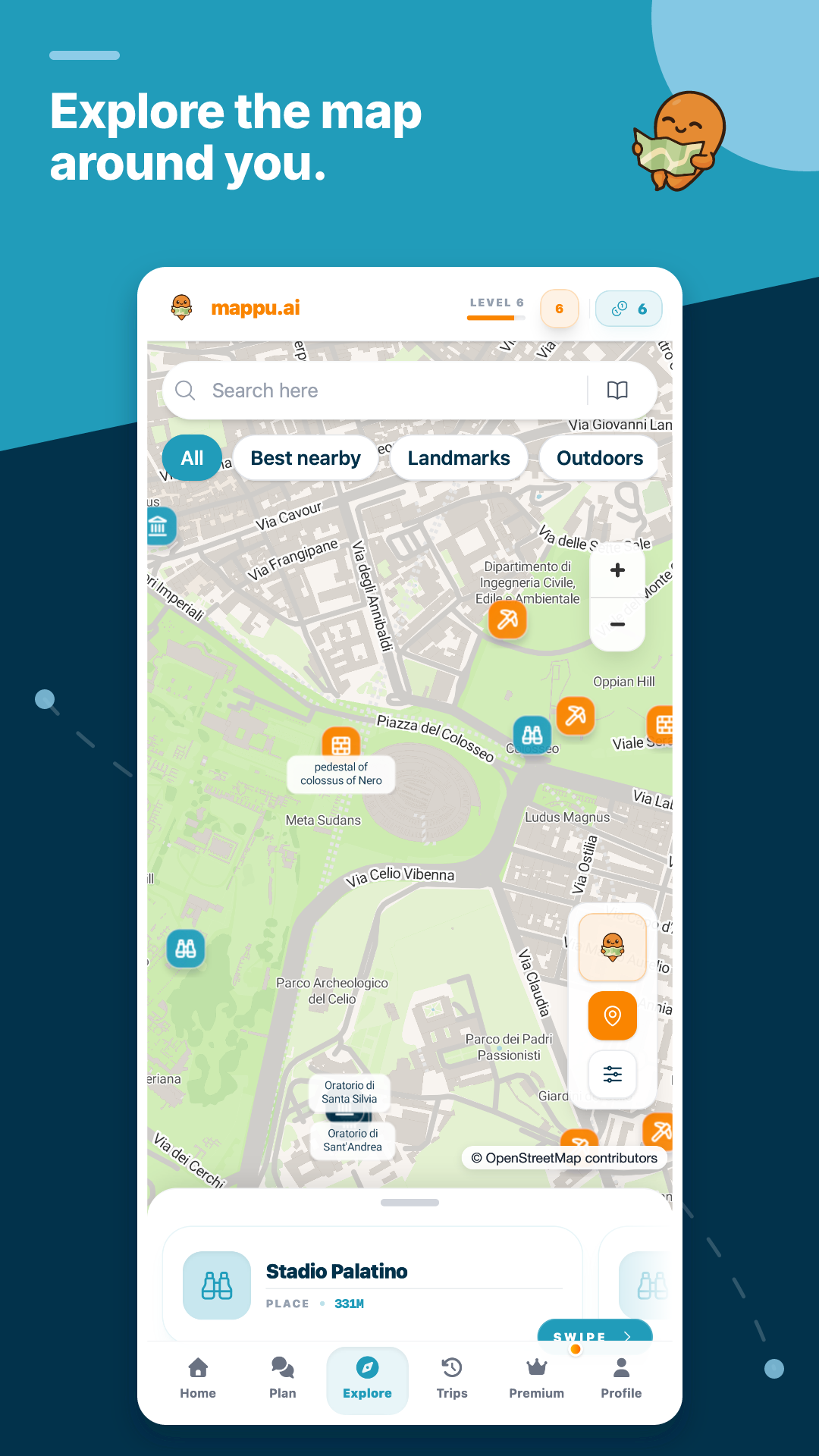
The Explore view keeps nearby places, landmarks, and route context visible, so you can inspect geographic order before deciding what belongs in the day.
Map view supports route inspection and discovery. It does not claim live traffic or turn-by-turn navigation.
No. Mappu does not reproduce general layer-based cartography. It is an alternative for the travel-planning job: putting stops into days and keeping the route connected to the guides.
No. Google's official mobile help says My Maps cannot be used offline. Check the current support page before relying on it where the signal is uncertain.
Anyone who needs custom layers, shapes, styling, sharing, export or print. Consider Mappu when you need itinerary pacing, mapped travel days and audio while you explore.
Tell Mappu where and for how long. The planner opens with your trip started, ready for your pace, interests and must-sees.